| Command Summary | Command Syntax | Calculator Compatibility | Token Size |
|---|---|---|---|
| Draws a circle on the graphscreen | Circle X,Y,radius,drawing mode | TI-89(T)/92 | 1 byte or 2 bytes |
Menu Location
- Press [Diamond][F3] to enter the graphscreen
- [F5][LEFT][LEFT] to get to the F7 menu
- [4], then follow the prompts to draw the circle
The Circle Command
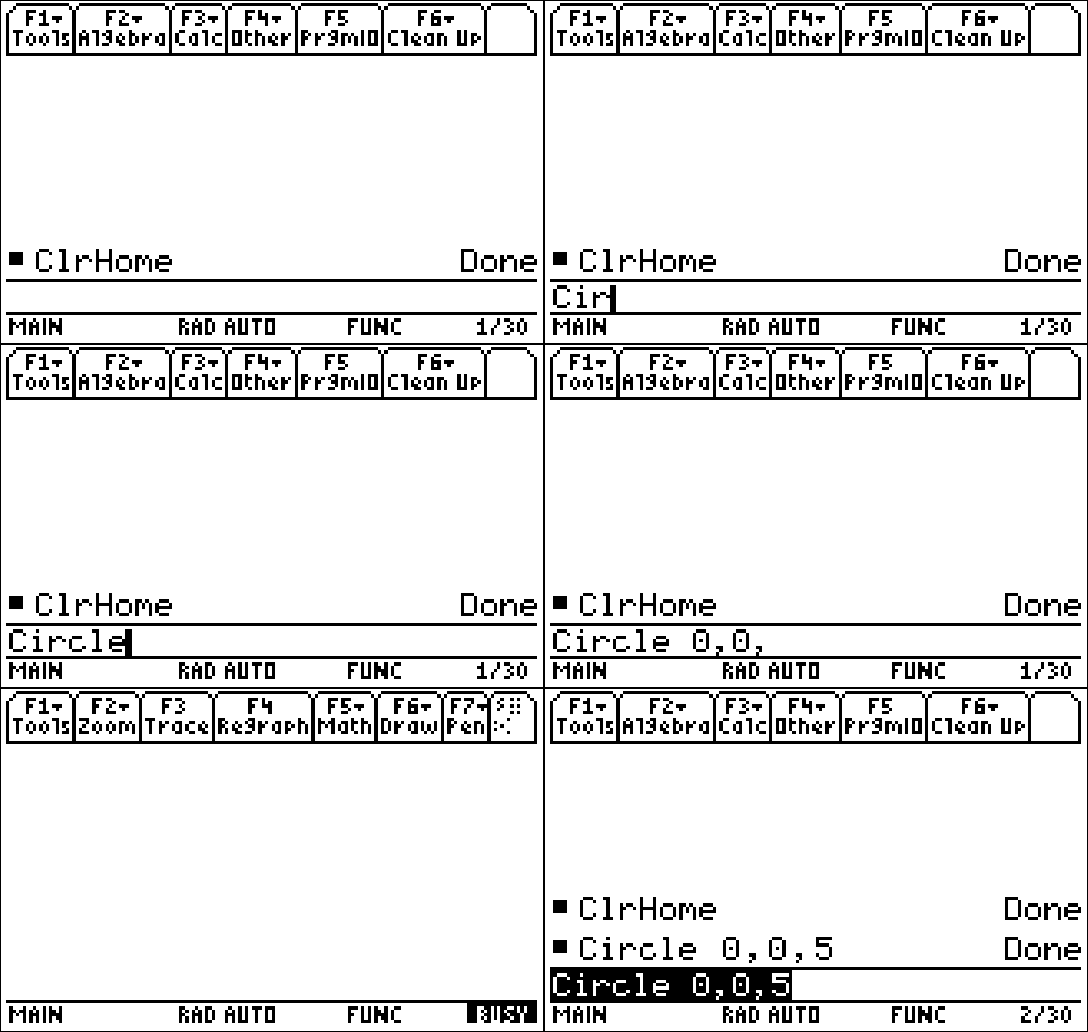
The Circle command allows a person to draw a circle on the graphscreen. It can be drawn using the given keystrokes, or it can be called at the homecreen by typing it out.
Circle 0,0,5
//Will draw a circle with a center of (0,0) and a radius of five.
Advanced Uses
The Circle command is based off of the window settings, so depending on how they are set up, it could draw a circle or an ellipse.
Command Timing
Unlike the Circle command from the 83+ family of calculators, the Circle command is very fast, drawing it almost instantly to the graphcreen, as demonstrated by the screenshot.
Related Commands
Authors: