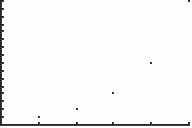
| Command Summary | Command Syntax | Calculator Compatibility | Token Size |
|---|---|---|---|
| Sets the way sequence equations are graphed to value vs. time. | Time | TI-83/84/+/SE | 2 bytes |
Menu Location
While in Seq mode, press:
1. 2nd FORMAT to access the format menu.
2. ENTER to select Time
The Time Command
NOTE: This article is about the Time setting for sequence graphing. If you're looking for the clock commands on the TI-84 Plus and TI-84 Plus SE, see Time and Date Commands.
The Time command sets equations in sequence mode to graph as the points (n, u(n)) (for the u equation; (n, v(n)) and (n, w(n)) for the other two) - the default setting. In dot mode, only the points themselves will be plotted, but if you change the graphing style to connected line or thick line, the points will be connected.
Essentially, this mode makes sequence graphs a limited version of function graphs, but with the possibility of recursion.
See "Related Commands" for other possibilities of graphing sequences.