| Command Summary | Command Syntax | Calculator Compatibility | Token Size |
|---|---|---|---|
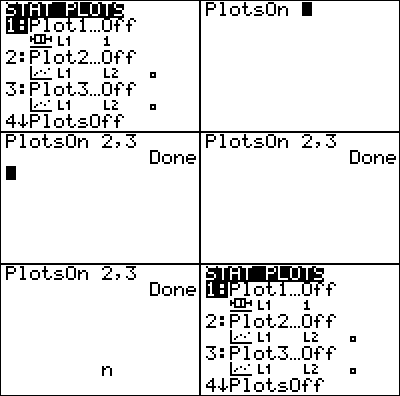
| Turns stat plots (all of them, or only those specified) off. | PlotsOff [plot numbers] | TI-83/84/+/SE | 1 byte |
Menu Location
Press:
1. 2nd PLOT to access the stat plot menu.
2. 4 to select PlotsOff, or use arrows and ENTER.
The PlotsOff Command
By itself, the command will turn off all three stat plots.
If it is given arguments, there can be any number of them (actually, no more than 255, but this won't stop most people), but they must all be numbers 1 to 3. Then, the command will only turn off the specified plots. Unlike some commands, it is okay to give PlotsOff an expression as an argument (for example, PlotsOff X), as long as it has a value of 1, 2, or 3.
Error Conditions
- ERR:DOMAIN is thrown if a plot that is not 1, 2, or 3 is specified.
Related Commands
Authors: