| Command Summary | Command Syntax | Calculator Compatibility | Token Size |
|---|---|---|---|
| Sends data or a variable to a connected CBL device. | Send(variable) | TI-83/84/+/SE/CSE/CE(5.1.5+) | 1 byte |
Menu Location
While editing a program, press:
1. PRGM to access the program menu.
2. RIGHT to access the I/O submenu.
3. ALPHA B to select Send(.
The Send( Command
The Send( command is used for sending data to a CBL (Calculator Based Laboratory) device (or another compatible device) via a link cable. With some exceptions, Send('s argument must be a variable: a real number, list, matrix, string, equation, picture, or GDB. An expression or a number will not work — Send(5) or Send([A][B]) is invalid.
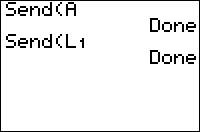
The exceptions are list or matrix elements (that is, you can do Send(A) or Send(L1(2)) without an error) and non-variable lists typed out with { } brackets and commas.
Norland Robot
You can use Send( with a Get( for a Norland calculator robot. The format called CLR format. C stands for command number, L stands for left axle, and R stands for right axle. If the command number is 1, it makes the robot moves in a direction for the time specified later in the command. If it is 2, the robot moves until the bumper hits a wall. If it is 3, it moves for a specified amount of time and stops when the robot when the bumper hits a wall. For example, send({122,100}) will make the robot move forward for 100 centiseconds, send({222}) makes it go forward until the bumper hits the wall, and send({322,100}) makes the robot move forward for 100 centiseconds and stops it when the bumper is pressed. The last two axle control numbers are like this:
0=backwards
1=stop
2=forwards