| Command Summary | Command Syntax | Calculator Compatibility | Token Size |
|---|---|---|---|
| Turns off a pixel on the graph screen. | PxlOff row, column | This command works on all calculators. | 2 bytes |
Menu Location
N/A
The PxlOff Command
The PxlOff command erases a pixel on the graph screen. It uses pixel coordinates, which means that the result isn't affected by window variables like xmin and xmax: PxlOff P, Q will always erase the pixel P rows down and Q columns across from the top left corner of the graph screen.
The range of possible values (anything outside this range will give an error) is:
- 0..76 for the row and 0..158 for the column, on a TI-89 or TI-89 Titanium.
- 0..102 for the row and 0..238 for the column, on a TI-92, TI-92 Plus, or Voyage 200.
Note that this doesn't match the output of 68k:getConfg() — the command is reliable for figuring out which of the two situations you're in, but the values it gives for window width/height are incorrect.
When in split screen mode, PxlOff still won't give an error as long as the values are in the regular range, but erasing a pixel off the screen will have no effect. The output of getConfg() will reflect the change in window size, but the values themselves still won't be correct.
Advanced Uses
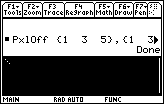
PxlOff can also be used with two lists of the same size. In that case, it will erase the pixels for every pair of elements (rowlist[n], collist[n]). This is a rarely-used alternative to a command like 68k:AndPic, with the one advantage that it doesn't require a picture variable (of course, if you had two such lists, you could easily use 68k:NewPic to create a picture variable).
Error Conditions
260 - Domain error happens when the pixel coordinates are not in the allowed range.