| Command Summary | Command Syntax | Calculator Compatibility | Token Size |
|---|---|---|---|
| Sets all lines to be drawn using a series of individual pixels. | This command is executed with no additional arguments | TI-84+CSE/CE | 2 bytes |
Menu Location
Go to Catalog, press [ALPHA][X^-1], and scroll down
The Dot-Thin Command
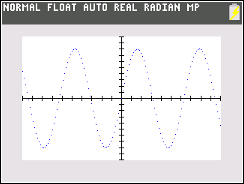
The Dot-Thin command sets all lines in the current function type to be drawn using a series of individual pixels at each interval of TraceStep. The command can be called on the homescreen or within a program.
:ClrDraw
:AxesOn
:Dot-Thin
Error Conditions
- ERR:SYNTAX is thrown if the command is executed with any additional arguments
Related Commands
Authors: