| Command Summary | Command Syntax | Calculator Compatibility | Token Size |
|---|---|---|---|
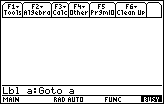
| Marks a point in the program for use with 68k:Goto and 68k:Toolbar..EndTBar. | :Lbl label-name | This command works on all calculators. | 2 bytes (plus 1-10 bytes for label name) |
Menu Location
N/A
The Lbl Command
The Lbl command is used to mark a point in the program to which the 68k:Goto command or selections from a 68k:Toolbar..EndTBar menu can jump. When jumping to a label, the calculator will start searching the program from the beginning to find the label.
The same limitations are imposed on a label name as on a variable name. It's okay to have a label with the same name as a variable, though, this won't cause problems.
You can, theoretically, have labels in the same program with the same name, but only the first one will be used (the calculator will always find it before it finds the others). Labels don't extend beyond a program: you can't jump to a label inside a different program or function.
Also, the code inside an 68k:expr() string lives in its own program as far as labels are concerned: if you put a label in it, the main program won't find it; you can't jump out of a routine run with 68k:expr() into the main program; finally, you don't have to avoid the label names that the main program uses.
Error Conditions
500 - Invalid label happens when the label name uses an invalid character.
Related Commands
- 68k:Goto
- 68k:Toolbar..EndTBar